Rings when it matters.
Wake-up alarms use Apple’s alarm system to ring through Silent Mode and Focus, once you allow alarms.
GOOD MORNINGS START SMALL
One little Dot.
A little more intention.
Thoughtful alarms, reminders for what comes next, and a private Circle of your people. All in a space that feels like yours.


For iPhone · Free, no ads
01 / THE DOT
Go on. We know you want to.
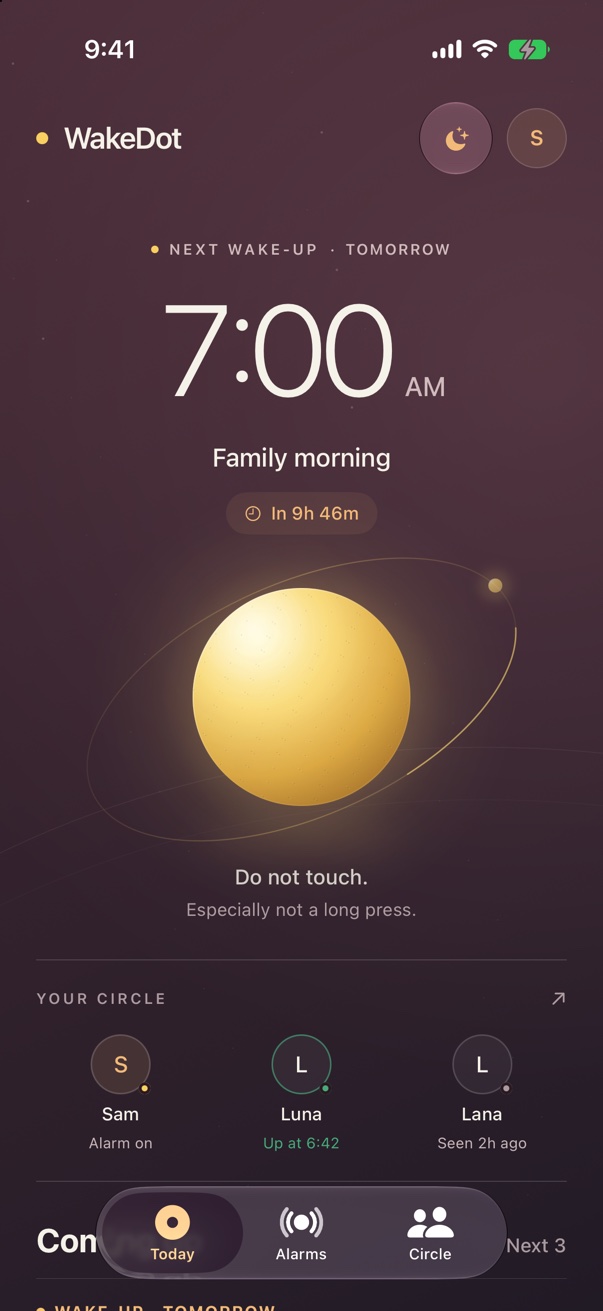
Gold when something is set to ring. Pearl when there’s a little quiet. Your Dot breathes, reacts and keeps the next moment in view.
In the app, hold it to discover a small burst of light — and shortcuts to a wake-up alarm, a reminder or your calendar.
A useful secret. Right where your day begins.02 / UP, AND ON YOUR WAY
Wake-up alarms use Apple’s alarm system to ring through Silent Mode and Focus, once you allow alarms.
Choose a wake check. Finish five taps on your Dot, or get moving. Until you finish, the alarm can return after you press Stop.
Quick reminders for cooking, calls and everyday things. With Calendar connected, review a reminder before an event and choose when it rings.
03 / YOUR PEOPLE
See who’s up, who’s around and who has an alarm set. A familiar name and a small check-in, right under your Dot.
Private by invitation. No location, camera or audio shared.
Make a circle for family, your pickleball group, swim team or gym friends.
04 / A CLOSER LOOK
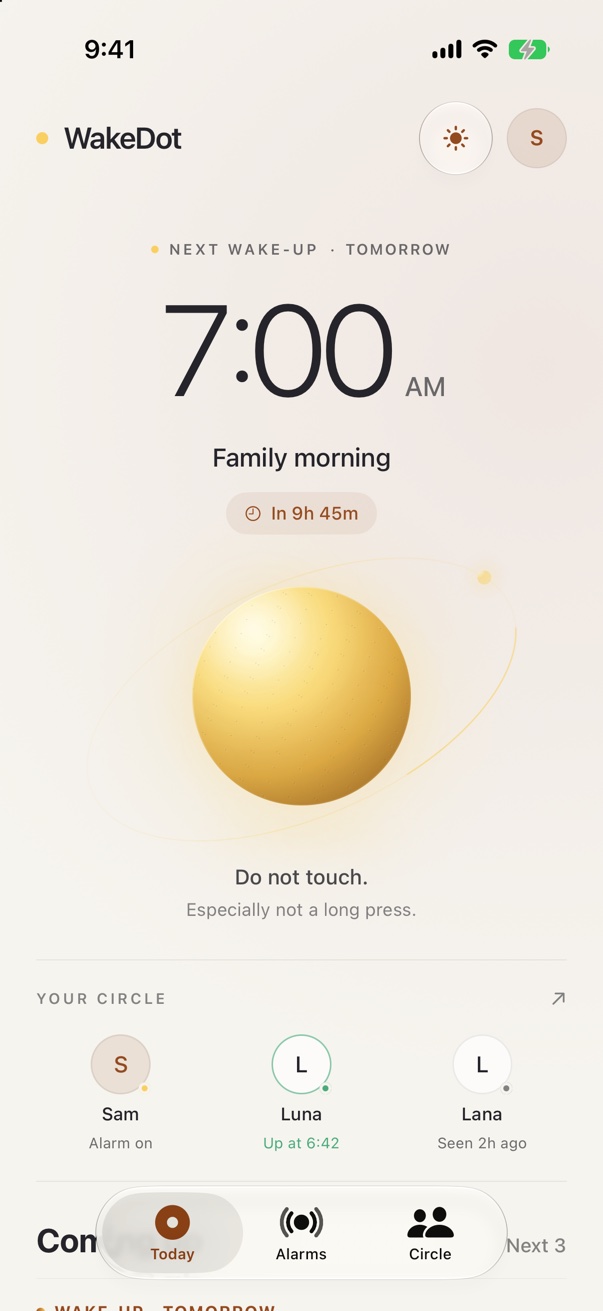
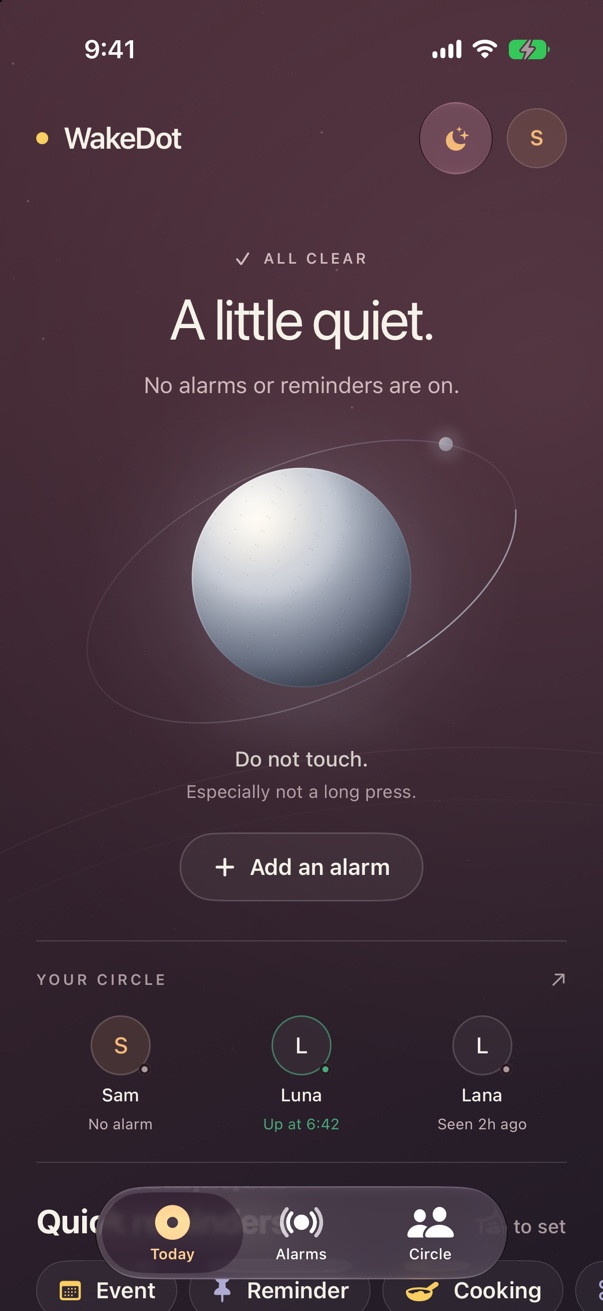
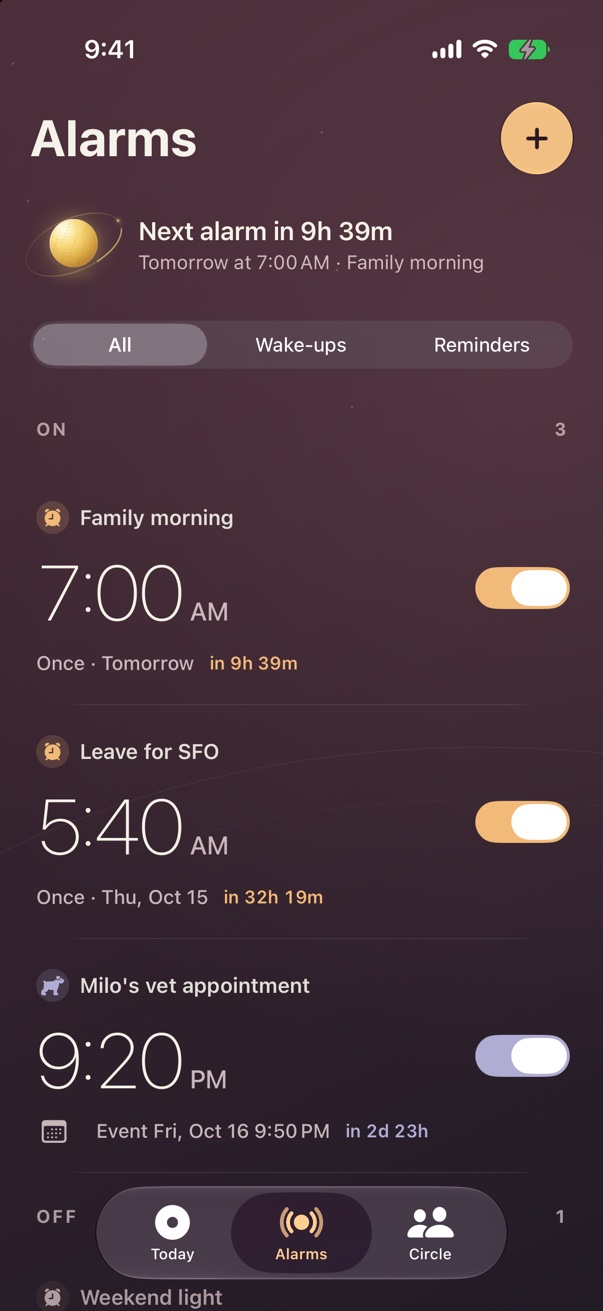
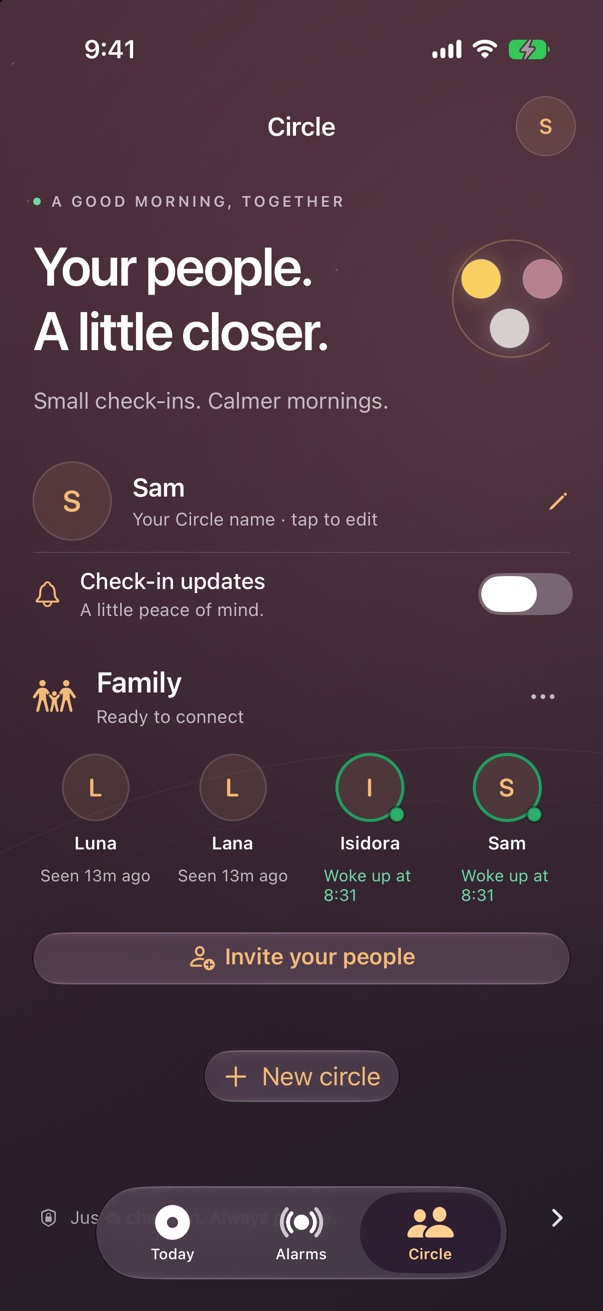
Actual app screens with example alarms and Circle activity.
05 / BETTER TOGETHER
SHARED · OVEN OFF
Share any alarm or reminder with your circle. Everyone who adds it gets it on their own iPhone.
WAKEDOT
Everything included. No ads, no tracking.
A FEW THINGS TO KNOW
Yes, wake-up alarms use Apple’s alarm system and ring through Silent Mode and Focus after alarm permission is granted. Reminder alert styles can be different; choose the level of attention you need in the app.
No. You choose whether an alarm uses a wake check. With one enabled, finish the check in WakeDot to complete that wake-up.
No. People in a circle you share with can see your name, check-ins and the alarms you choose to share. WakeDot does not share location, camera or audio. Check-ins can be delayed when a device is offline.
Yes. Open your profile and Settings, then choose Invite a friend to share WakeDot. A future rewards program is being considered; referral dots and merch redemption are not available yet.
WakeDot is designed for iPhone running iOS 26 or later. Its wake-up alarms use Apple’s native alarm system.